
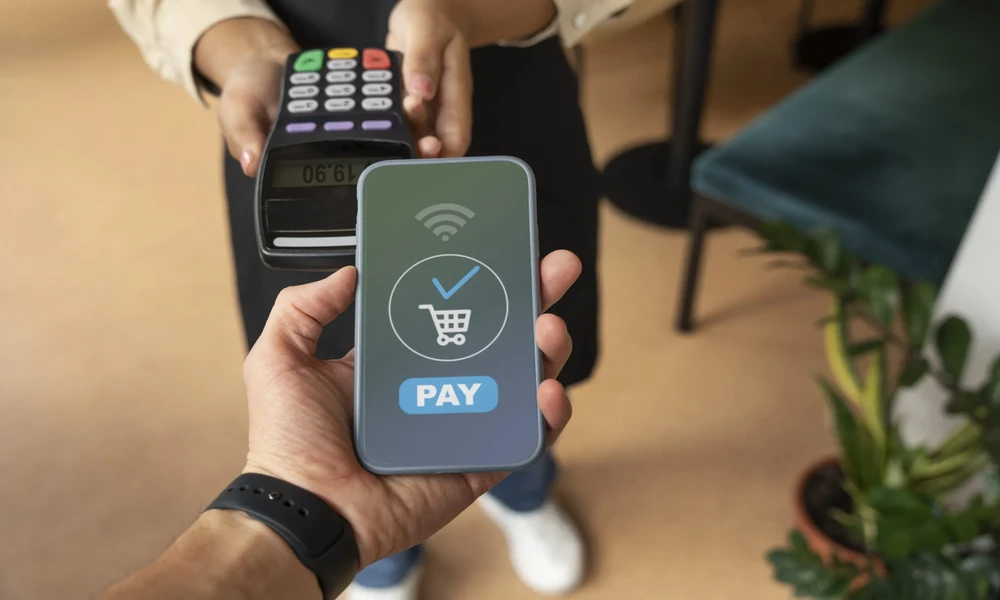
Managing a busy shop involves handling customers, checking inventory, preparing bills, answering questions, and collecting payments at the same time. During peak hours, it can become difficult for shop owners and employees to personally check every payment notification on a smartphone.
Voice-based payment alerts can offer a practical way to stay informed about incoming digital transactions. A upi announcer app can provide audible payment notifications, depending on the features and payment setup, allowing a merchant to hear transaction alerts without constantly looking at a device.
For growing businesses, efficient payment management can also support broader financial organization. While payment alerts do not replace proper transaction verification or accounting, they can complement a structured payment process. Businesses exploring funding for expansion or working capital may also consider options such as Business Credit, provided the financing terms and repayment capacity are suitable.
What Are Voice Payment Alerts?
Voice payment alerts are audible notifications that communicate information about an incoming digital payment.
Instead of relying only on a visual notification, a merchant may hear an alert indicating that a payment has been received. The exact wording, amount display, and notification features depend on the application and payment service being used.
This can be particularly useful in businesses where employees are frequently moving around or where the owner cannot continuously monitor a payment screen.
Examples of businesses that may benefit include:
- Grocery stores
- Restaurants
- Cafés
- Pharmacies
- Clothing shops
- Electronics retailers
- Salons
- Small service businesses
- Street vendors
- Local convenience stores
Why Payment Alerts Matter for Busy Shops
Payment verification is an important part of everyday retail operations. When multiple customers are waiting, checking every payment manually can slow down the checkout process.
A voice notification can provide an additional indication that a transaction has been recorded.
For example, a shop owner serving one customer may hear an alert while another customer completes a digital payment. Instead of immediately stopping the current transaction to check a phone, the owner can remain focused on the customer and verify the payment through the appropriate transaction system when required.
This can make the payment workflow more convenient.
1. Reduces the Need to Constantly Check a Phone
Busy shop owners may not have time to look at their smartphone after every transaction.
An audible alert can draw attention to an incoming payment without requiring the merchant to keep the phone screen visible.
This can be useful when:
- The owner is stocking shelves
- Several customers are waiting
- The shop is crowded
- Employees are handling multiple tasks
- The merchant is preparing an order
The alert can act as an additional layer of convenience within the payment process.
2. Helps During Busy Hours
Peak hours can create a high volume of transactions within a short period.
During these periods, a merchant may receive multiple payments while simultaneously handling customers and products.
Voice alerts can make it easier to notice incoming transactions, particularly when the merchant is not directly looking at the payment device.
However, merchants should still follow appropriate payment verification procedures, especially for high-value transactions.
3. Useful When the Payment Device Is Away From the Counter
Not every shop has a fixed payment terminal directly beside the billing area.
A merchant may keep a smartphone or other payment device in a different position to make it easier to hear or access.
A voice alert can help the merchant notice incoming payments even when they are not looking directly at the device.
The effectiveness depends on device volume, background noise, connectivity, and the payment application’s notification functionality.
4. Can Reduce Manual Checking
Without voice alerts, a merchant may need to repeatedly unlock a phone and check whether a payment has arrived.
For businesses with many small transactions, repeating this process throughout the day can become inconvenient.
Audible notifications can reduce some of this repetitive checking.
The merchant can then use transaction records for detailed reconciliation rather than checking the device after every individual payment.
5. Helpful for Small Retail Teams
Voice alerts can also be useful when more than one employee works at the shop.
For example, an employee may be handling billing while another person is managing inventory. An audible notification can make the payment event easier to notice without requiring every employee to monitor the payment screen.
Businesses should establish clear procedures about who is responsible for payment verification and transaction recording.
6. Can Improve Customer Flow
Payment delays can contribute to longer queues.
When employees can quickly notice payment notifications, they may be able to move customers through the checkout process more efficiently.
A smoother workflow could look like:
Customer completes payment → Voice alert is received → Merchant verifies transaction → Order is completed
The actual time required will vary depending on connectivity, customer device performance, payment service availability, and transaction type.
7. Useful for Noisy Retail Environments
Retail environments can be busy and distracting. Customers may be talking, employees may be moving products, and equipment may create background noise.
An audible payment notification can make incoming transactions easier to notice than a silent visual alert.
Merchants should choose an appropriate notification volume so alerts are audible without becoming disruptive to customers or nearby businesses.
8. Can Support Better Payment Awareness
When a business receives multiple payments throughout the day, it can be difficult to keep track of every transaction manually.
Voice alerts can provide immediate awareness that a payment notification has been received.
However, an alert should not be treated as a substitute for the actual transaction record.
Merchants should use the appropriate payment or banking system to confirm transaction status when necessary.
What Is a UPI Announcer App?
A upi announcer app is designed to provide audible notifications for certain UPI-based payment transactions, depending on the application’s features and payment setup.
Such an application may announce information about received payments so that merchants do not need to continuously monitor a smartphone screen.
The exact capabilities can vary between applications, so merchants should review available features, permissions, compatibility, privacy practices, and applicable costs before choosing a solution.
How a Voice Payment Setup Can Work
A typical voice alert workflow may involve several steps.
Step 1: Customer Initiates Payment
The customer scans the merchant’s QR code or selects another supported payment method.
Step 2: Customer Completes the Transaction
The customer authorizes the transaction through their payment application and relevant authentication process.
Step 3: Payment Information Is Received
The payment system processes the transaction and sends the relevant notification.
Step 4: Voice Alert Is Generated
The merchant’s configured application or device provides an audible alert, where supported.
Step 5: Merchant Verifies the Payment
The merchant confirms the transaction through the appropriate payment record before completing the order when necessary.
This process can help reduce unnecessary manual checking while keeping verification as part of the workflow.
Voice Alerts Are Not a Replacement for Verification
One of the most important points for merchants is that an audible notification should not be considered the only proof of payment.
A business should follow the appropriate verification process before handing over expensive products or completing high-value services.
Merchants should be particularly careful about:
- Fake payment screenshots
- Pending transactions
- Failed transactions
- Reversed payments
- Network delays
- Incorrect payment amounts
An alert can improve awareness, but transaction verification remains essential.
Protect Payment Information
Digital payment systems involve financial information, so security should remain a priority.
Shop owners should:
- Protect payment devices with secure authentication.
- Keep applications updated.
- Avoid sharing account credentials.
- Restrict access to authorized employees.
- Never share confidential PINs or authentication codes.
- Monitor unusual transactions.
- Use trusted applications and payment services.
Employees should also be trained to recognize suspicious payment requests.
Consider Privacy and Permissions
Before installing a payment notification application, merchants should understand what permissions it requires.
They should review whether the application needs access to notifications, audio, device information, or other features.
Businesses should use applications from reliable sources and keep them updated.
It is also important to understand how transaction information is handled and stored.
What to Consider When Choosing a Voice Payment Solution
Shop owners should compare solutions based on practical requirements rather than selecting an application only because it announces payments.
Important considerations include:
- Payment compatibility
- Notification accuracy
- Voice clarity
- Language support
- Device compatibility
- Internet requirements
- Battery usage
- Security features
- Privacy practices
- Cost
- Ease of setup
- Customer support
The right option depends on the type and volume of transactions handled by the business.
Check Compatibility With Existing Payment Systems
A merchant should make sure the voice alert solution works with the payment arrangement already used by the business.
If a shop accepts payments through multiple channels, the owner should understand which transactions can generate voice notifications and which may still require manual checking.
This avoids confusion among employees.
Consider the Shop Environment
A solution that works well in a quiet store may behave differently in a busy market or restaurant.
Merchants should consider:
- Background noise
- Shop size
- Device placement
- Speaker quality
- Internet connectivity
- Number of employees
- Transaction volume
If the shop is particularly noisy, the merchant may need a device or setup that provides sufficiently clear notifications.
Keep a Backup Payment Process
Digital systems can occasionally experience technical problems.
Internet connectivity can fail, devices can run out of battery, and payment applications can experience temporary issues.
Businesses should therefore maintain suitable backup payment options where practical.
Employees should also know what to do if a payment remains pending or cannot be verified.
Connect Payment Alerts With Financial Records
Voice alerts primarily support payment awareness. Businesses still need proper financial records.
At the end of the day, merchants should reconcile digital payments with sales and accounting records.
For example:
Total sales = Cash collections + Digital collections + Other payments − Refunds
The exact reconciliation process depends on the business’s accounting system.
Regular reconciliation can help identify missing transactions, incorrect entries, refunds, or payment discrepancies.
Voice Alerts and Business Credit
Efficient payment collection can contribute to better financial organization, but payment alerts themselves do not establish creditworthiness.
Businesses that need funds for inventory, equipment, expansion, or working capital may explore Business Credit options.
Before using credit, owners should consider:
- Amount required
- Purpose of borrowing
- Interest rate
- Fees
- Repayment period
- Total repayment amount
- Existing financial obligations
- Expected business cash flow
Credit should be used based on a genuine business requirement and a realistic ability to repay.
Use Payment Data for Cash Flow Planning
Digital payment records can help businesses understand their collection patterns.
Owners can examine:
- Daily collections
- Weekly sales
- Monthly revenue
- Average transaction value
- Payment timing
- Refunds
- Outstanding customer payments
This information can support cash flow forecasting.
For example, if a retailer knows that sales increase significantly during a particular season, the owner can plan inventory purchases and other expenses in advance.
Train Employees on Payment Procedures
Technology works best when employees understand how to use it.
Retailers should explain:
- What a payment alert means
- How to verify a transaction
- What to do when payment is pending
- How to handle failed payments
- How to process refunds
- How to identify suspicious activity
- Who is responsible for reconciliation
Clear procedures can reduce confusion during busy periods.
Avoid Relying Only on Technology
Voice alerts can improve convenience, but they should be part of a broader payment-management process.
Businesses should continue maintaining:
- Accurate sales records
- Payment records
- Expense records
- Customer invoices
- Refund records
- Reconciliation procedures
- Security controls
Technology should simplify these activities rather than replace financial discipline.
Conclusion
Voice payment alerts can be useful for busy shop owners who handle frequent digital transactions and cannot continuously monitor a payment screen. A upi announcer app can provide audible transaction notifications, depending on its features and payment setup, helping merchants become aware of incoming payments while continuing to serve customers.
However, voice notifications should complement-not replace-proper payment verification. Merchants should confirm transactions through the appropriate payment system, maintain accurate sales records, and reconcile digital collections regularly.
For businesses planning expansion or requiring additional working capital, Business Credit can be considered as one possible financing option. Owners should evaluate the purpose of borrowing, total costs, repayment schedule, and cash flow capacity before taking on any financial obligation.
Ultimately, a good payment setup should help shop owners save time, manage transactions more effectively, and maintain better visibility into business finances. Voice alerts are one practical tool that can contribute to this goal when combined with secure payment practices and organized financial management.
FAQs
1. What is a upi announcer app?
A upi announcer app is an application designed to provide audible notifications for certain UPI payment transactions, depending on its features and supported payment setup.
2. How can voice payment alerts help shop owners?
They can make merchants aware of incoming payment notifications without requiring them to constantly look at a smartphone screen.
3. Are voice alerts proof that a payment is successful?
Not necessarily. Merchants should verify the transaction through the appropriate payment or banking system before completing high-value transactions or releasing goods.
4. Can voice alerts help during busy hours?
Yes. Audible notifications can make incoming payment activity easier to notice when employees are serving multiple customers simultaneously.
5. Are voice payment alerts suitable for all businesses?
They can be useful for many retail and service businesses, but suitability depends on transaction volume, environment, payment setup, device compatibility, and other requirements.
